
It has been 16 days since my home was broken into while I was asleep, leaving not just me but my mostly elderly neighbors sleepless and on edge. And while I got “lucky” and only my Xbox was taken, we’ve had another attempt at a break-in, a trailer hitch stolen off a truck in a driveway, and countless more sightings of cars and people not from our little cul-de-sac. Paranoia is running high, and people’s nerves are blank and I am angry.
On Day 9, I wrote about that experience and my sheer disbelief when I found out from an Xbox support article, that other than reporting the console serial number to law enforcement, changing my Microsoft account password, and checking my billing activity (and replacing my credit card), there was nothing else I could do. As an Information Technology professional, I have a difficult time wrapping my head around what has been happening since.
Sign out everywhere (not)
If I ask you to log in to your Microsoft account and find the “Sign out everywhere” button, would you know where it is? I figured it was easier to search for “Microsoft sign out” than further frustrating myself by clicking around my account Security Dashboard trying to find it. Why is this hidden under “manage how I sign in”, at the bottom of the page, in the smallest font, and not instead displayed front, and center on that dashboard? Add insult to injury – “We can’t sign you out of Xbox” is casually added at the end.

I did “Reset Windows Hello on all my devices”, as that allegedly covers Xbox cloud services.
Check your recent sign-ins
I wondered that day why the support article only states to check my billing history. In my mind, now that I had changed my Microsoft account password, that console would try and sign in to my account the moment it was turned on and connected to the internet.
I checked my sign-in activity every day since. I don’t “stay signed in” and I do these checks from all my devices. Yes, I clicked the “show additional sign-in activity”, which expanded the list by a few days. Notice something in the picture below?
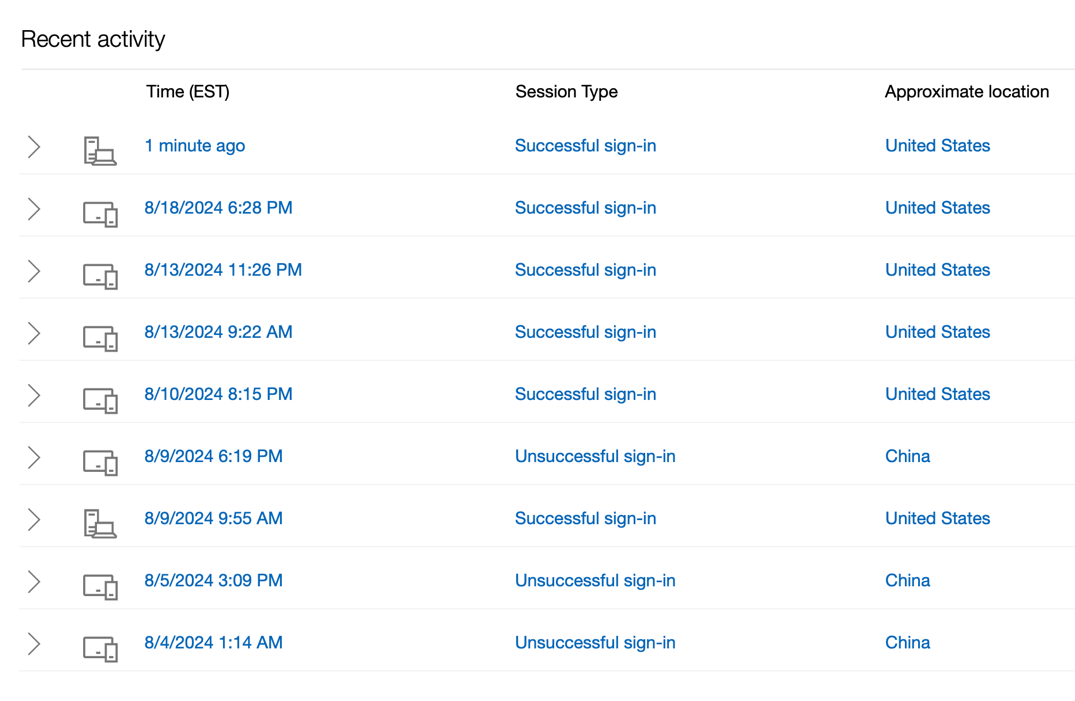
Yup, more than half of my sign-in activity is missing. I sign in fresh every day to check and back out after. Why is it not showing that? Originally, I thought it might be related to my ISP IP address changing but it is not. That IP has been the same for each sign-in attempt. So where are they? Shouldn’t I see sign-ins from my Xbox, regardless of successful or unsuccessful?
Find my device
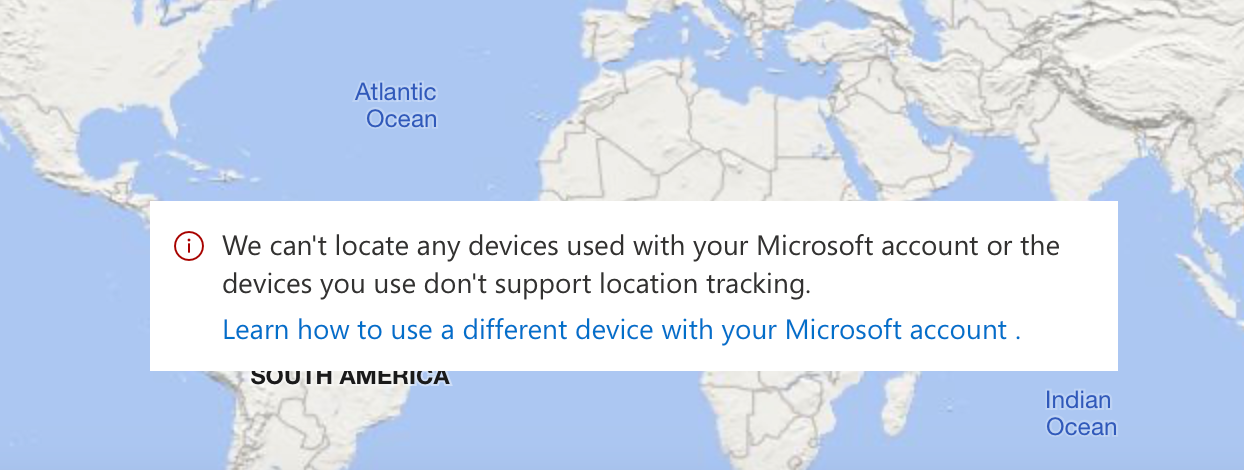
I can track my car, tablet, cell phone, laptop, and even my headphones. But I can’t track my Xbox though I know I left location-related services enabled on it. It wouldn’t even show me where it was last seen the day it was taken.
What happened with the serial number?
According to the GameStop’s I called, once that serial number is given to law enforcement it supposedly makes into a database. If someone tries to sell the console to GameStop (and some pawn shops) they would check against that database and be informed that the console was stolen and then call law enforcement. But if the Xbox isn’t sold to a GameStop or a pawn shop that checks those databases, what happens? Do the Detectives request anything from Microsoft? Seems like the easiest place to start. Maybe a single console isn’t enough for my township detectives to engage. Perhaps there is a need for a warrant to get Microsoft to release IP addresses and last known locations? I am floored, it's still my property.
The one that takes the cake!
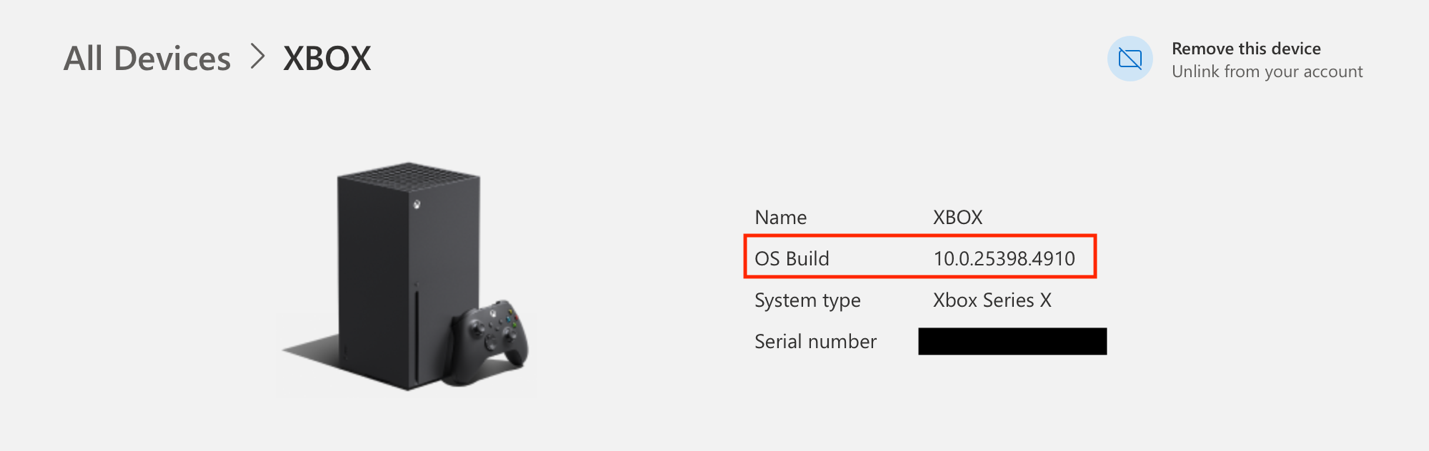
A few people suggested I remove/unlink the console from my account. And give the only piece of visibility left away? No! You see, I took a screenshot of the Xbox device page for that serial number to pass to law enforcement on the day of the break-in, but I also took notice of the OS build number that was shown.
Consequently, I figured, that if the console updated, the build number would change, meaning that it had to be online to receive an update, and maybe just maybe I’d have some luck getting the device location or an IP from a failed sign-in. In today’s check-in, I noticed that the console’s build number had changed.
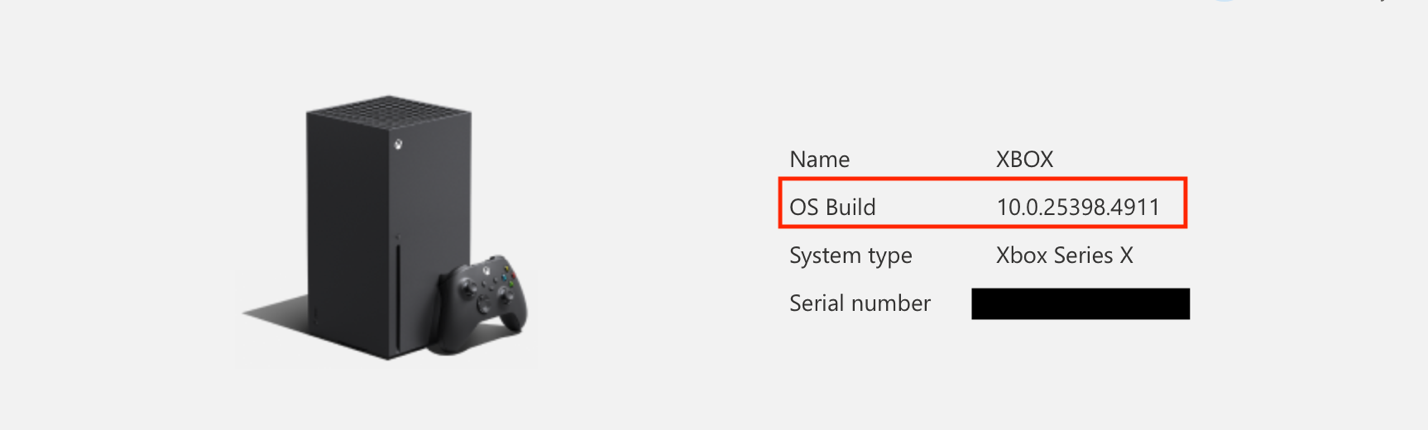
Any sign-in activity other than myself on the account? Trying the Find My Device function again? Getting in touch with Microsoft somehow? Any failed Purchase attempts or other places that show activity? Zero, zip, zilch, nada!
Does that mean the serial number wasn’t reported as stolen? Does that mean stolen consoles get updates? What can I do?
This is so infuriating. Being broken into while asleep, even if nothing else had been stolen, is one of the most uncomfortable experiences of my life. But knowing that a technology company with a $3.1 trillion market cap, plenty of security-related blunders and headlines about them with billions of users can’t get the most basic consumer security functions in place or working correctly, makes me unbelievably angry.
It says so much more about their priorities than any of the glossy marketing pages on how secure their services are.
And while home security camera vendors have come under scrutiny for their security mishaps too, their sign-in activity pages are accurate and show me where sign-ins came from. Heck, the account for my thermostat shows me sign-in activity. Needless to add when I click the “Sign out everywhere” button on any of those, I can be confident it will work.
As for what is next? I guess I will send the info about the build numbers to the police, hoping that they can do something with this information.
Originally published on LinkedIn, August 25, 2024. View the original
Some facts, figures and services mentioned here reflect the time this was written, in 2024.